What Is Dremio Cloud?
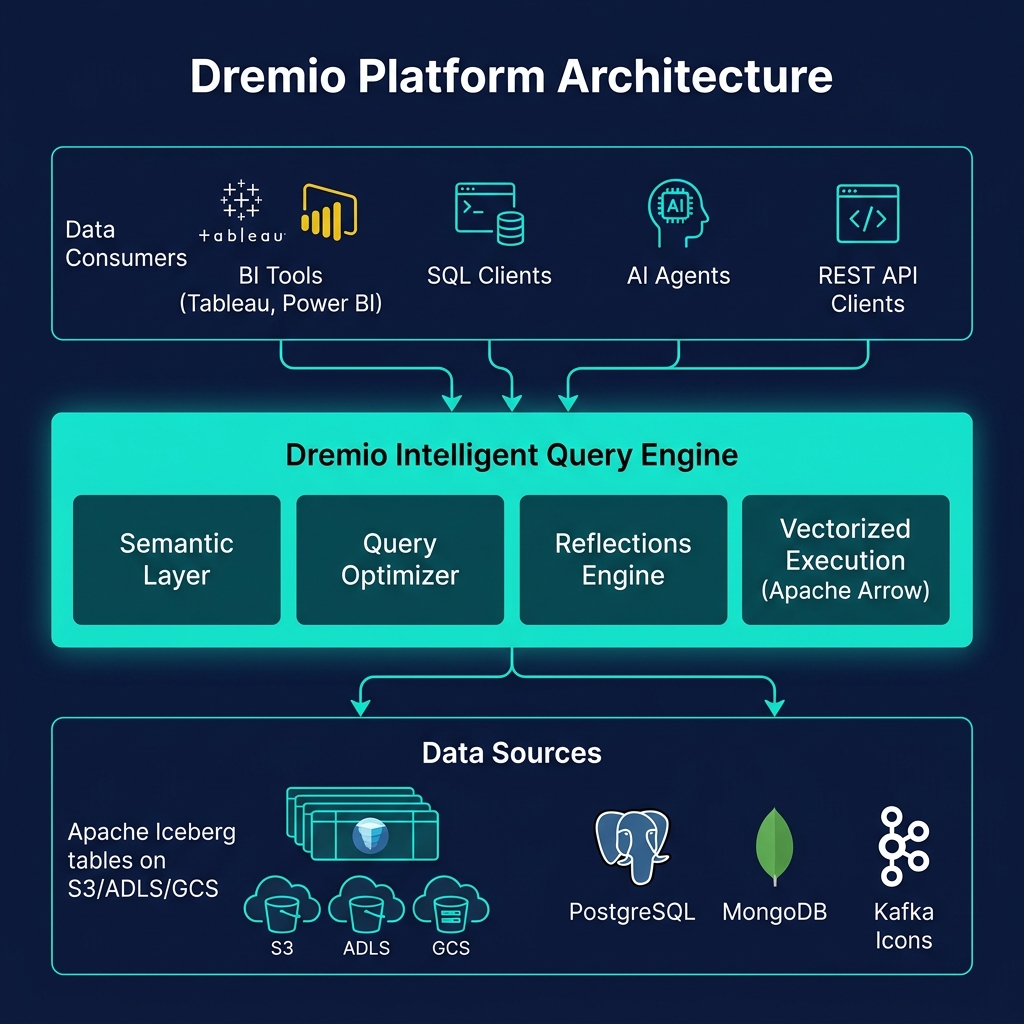
Dremio Cloud is the fully managed SaaS version of Dremio's data lakehouse platform, available on AWS and Microsoft Azure. It provides all of Dremio's capabilities — SQL query engine, Reflections, Open Catalog, semantic layer, and BI tool connectivity — as a managed service with no infrastructure deployment, patching, or scaling to manage.
The key architectural principle of Dremio Cloud is BYOS (Bring Your Own Storage): Dremio Cloud connects to your existing cloud storage bucket (S3 on AWS, ADLS Gen2 on Azure), reads and writes data in open Apache Iceberg format, and leaves all data in your account under your control. Unlike Snowflake or Databricks (which store data in their own managed storage by default), Dremio Cloud does not create a proprietary copy of your data.
Dremio Cloud Architecture
Dremio Cloud's multi-tenant architecture separates the control plane (managed by Dremio) from the data plane (running in your cloud account):
Control Plane (Dremio-Managed)
The catalog, metadata service, query coordinator, and UI are managed by Dremio as a shared SaaS service. These components are multi-tenant but isolated per organization.
Data Plane (Customer Cloud Account)
Query execution engines run in the customer's own AWS or Azure account, in a Dremio-managed VPC. This ensures that raw data bytes never leave the customer's cloud account — the execution happens close to the data. Dremio manages the compute scaling, health monitoring, and software updates for the data plane engines.
Auto-Scaling Engines
Dremio Cloud provides named virtual engines (e.g., "BI-Engine", "ETL-Engine") that auto-scale based on query load. Each engine is a cluster of Arrow-based query executors. Engines can be independently sized and configured for different workload types.
Dremio Cloud vs. Snowflake vs. Databricks
| Dimension | Dremio Cloud | Snowflake | Databricks |
|---|---|---|---|
| Data storage | Your S3/ADLS (open Iceberg) | Snowflake proprietary | Your storage (Delta/Iceberg) |
| Table format | Apache Iceberg (open) | Proprietary (FDN) | Delta Lake / Iceberg |
| Multi-engine access | Yes — Iceberg REST Catalog | Limited (Snowflake Iceberg tables) | Yes — Unity Catalog |
| BI acceleration | Reflections (transparent) | Result cache | No native equivalent |
| Pricing model | Consumption (credits) | Consumption (credits) | DBU consumption |
| Semantic layer | Built-in AI Semantic Layer | None built-in | None built-in |
Getting Started with Dremio Cloud
Starting with Dremio Cloud requires:
- Sign up at
dremio.com/get-started(free trial available) - Connect your AWS S3 bucket or Azure ADLS Gen2 as a storage source
- Create or register Apache Iceberg tables via Dremio's SQL editor or catalog UI
- Connect BI tools (Tableau, Power BI) via Dremio's ODBC/JDBC drivers
- Configure Reflections for your most-queried tables
The entire setup takes less than 30 minutes for a basic deployment. Dremio's free trial includes sufficient compute credits to evaluate the platform with production-scale data.
Summary
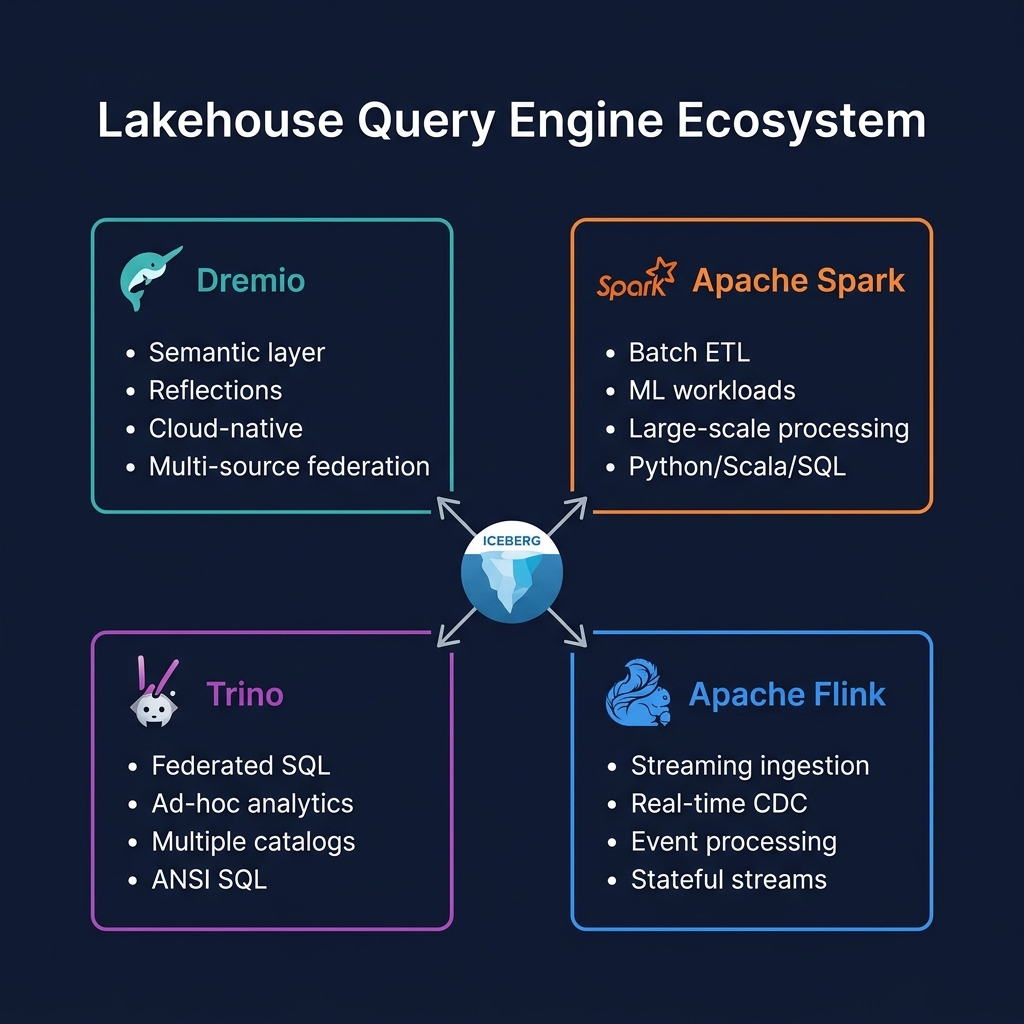
Dremio Cloud makes the open data lakehouse accessible without infrastructure expertise. By managing all platform components while leaving your data in open Apache Iceberg format on your own cloud storage, Dremio Cloud delivers enterprise-grade analytics performance with the openness and portability that proprietary cloud warehouses cannot match. For organizations wanting to move beyond Snowflake or Databricks lock-in, Dremio Cloud is the most complete managed open lakehouse alternative.